Available on this page
Text-to-image
Describe the subject, setting, composition, lighting, and constraints in a prompt.
Direct answer
Nano Banana 2 is a image model from Google available through Videmos. This page shows the configured inputs, output controls, credit cost of 2 per use, examples or workflow notes when available, and links to the provider information used to describe the model. Check the generator before submitting because availability follows the current Videmos configuration.
Last updated: May 21, 2026
AI Image Generator
Nano Banana 2 is a common name for Google Gemini 3.1 Flash Image. It is a Gemini image generation and editing model that can create images from text and use reference images for editing, recomposition, and visual extension.

Create with Nano Banana 2 using the inputs and output settings shown above.
Model overview
Nano Banana 2 is a common name for Google Gemini 3.1 Flash Image. It is a Gemini image generation and editing model that can create images from text and use reference images for editing, recomposition, and visual extension.
A workflow can begin with a prompt or with existing product, character, layout, or scene images. Multiple inputs can help define subjects and environments, while this page keeps the current reference-image limit visible.
Credits, reference limits, aspect ratios, and resolutions shown here follow the current Videmos generator controls.
Creation options
Review the available input methods and output choices before starting an image.
Use a text prompt, up to 4 reference images, 6 aspect ratios, and 1K / 2K / 4K output tiers for 2 credits per generation.
Choose the input method, aspect ratio, and output tier, then start generating on this page.
Core capabilities
These workflows combine prompts, reference images, aspect ratios, and output tiers for common image tasks.
Describe the subject, setting, composition, lighting, and constraints in a prompt.
Upload an image and describe changes to the setting, composition, material, or visual details.
Assign a role to each visual reference and describe how the subjects should relate.
Specify exact copy, language, typographic character, hierarchy, and placement for covers or infographics.
Choose a ratio for social posts, covers, posters, or banners.
Choose an exposed resolution for composition review or delivery needs.
适合谁使用
这些使用建议围绕提示词、参考图、画幅和输出档位展开,帮助不同团队判断适合自己的创作方式。
快速把灵感、角色、封面或社媒视觉从文字变成可评估的图片草案。
用商品参考图测试背景、布光、道具和横竖版主图,不必每次重新搭建拍摄场景。
围绕同一卖点生成不同构图和视觉方向,再筛选适合投放测试的版本。
按平台比例准备方图、横图和竖图,用统一提示词维持账号视觉调性。
把草图、情绪板或参考图转成更完整的视觉方向,用于内部评审和概念预演。
为文章、专题、课程或活动页准备封面、插图和信息图方向,并保留来源可核验案例。
Sourced examples
Images come from Google documentation. Videmos adapts each prompt as a concise reference for trying a similar composition; use the source links to inspect the originals.
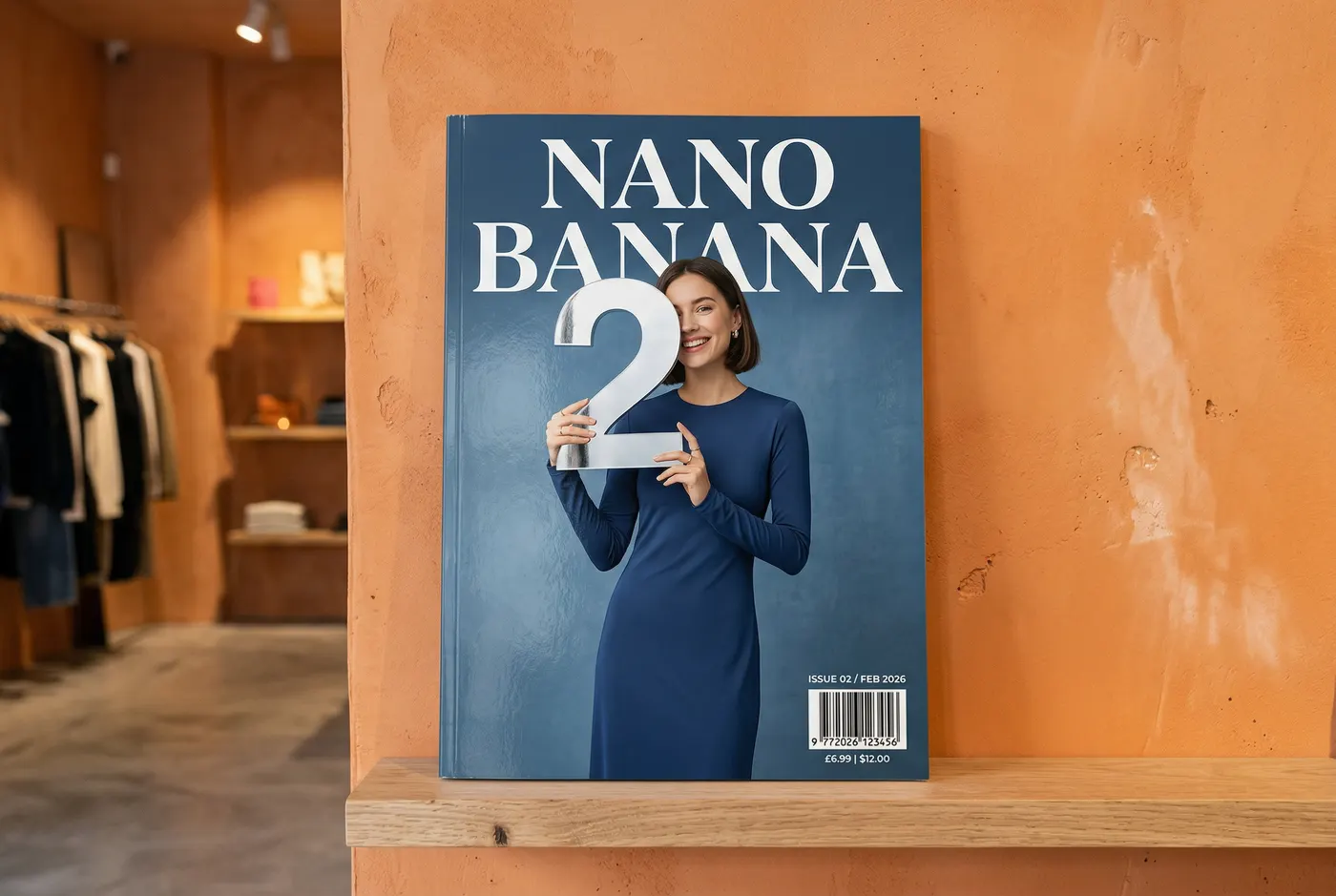
Tests specified title copy, date, barcode, and foreground-background hierarchy.
A minimal blue magazine displayed on a designer-store shelf. Large serif title Nano Banana, a person in a sleek dress holding the number 2, issue number, Feb 2026, and a barcode in the lower corner. Orange plaster wall, no text beyond the requested copy.
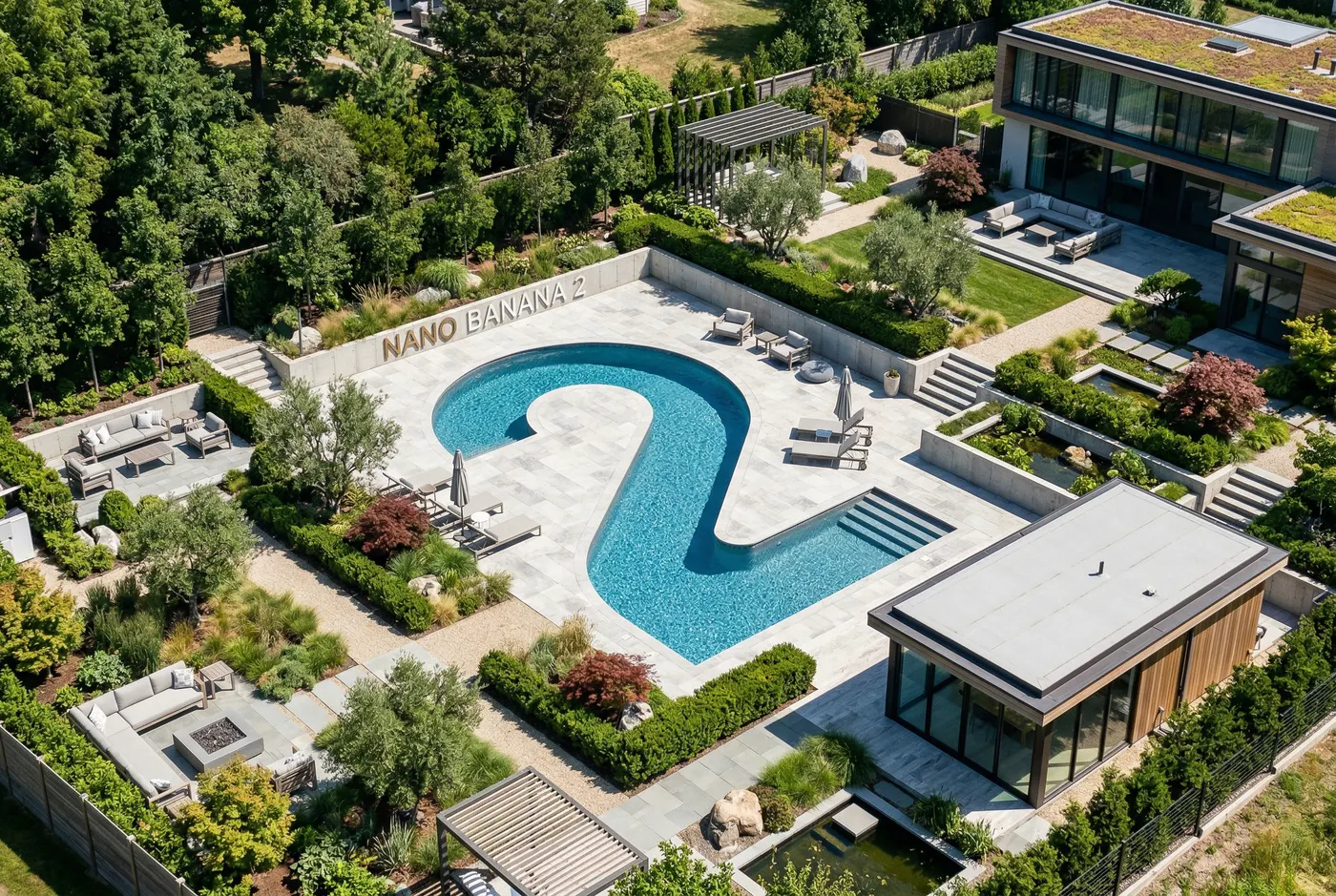
Tests strict viewpoint, architecture, materials, and integrated lettering.
A perfectly isometric photograph of a modern garden with a number 2-shaped pool, pale stone paths, trimmed plants, and a minimal residence. Clear white dimensional lettering reads Nano Banana 2 beside the water, natural daylight, clean composition.

Tests specified brand copy, typography, palette, and logo composition.
Create a modern, minimalist logo for a coffee shop called The Daily Grind. Use a clean, bold sans-serif font, a black-and-white palette, a circular composition, and integrate a coffee bean in a clever way.
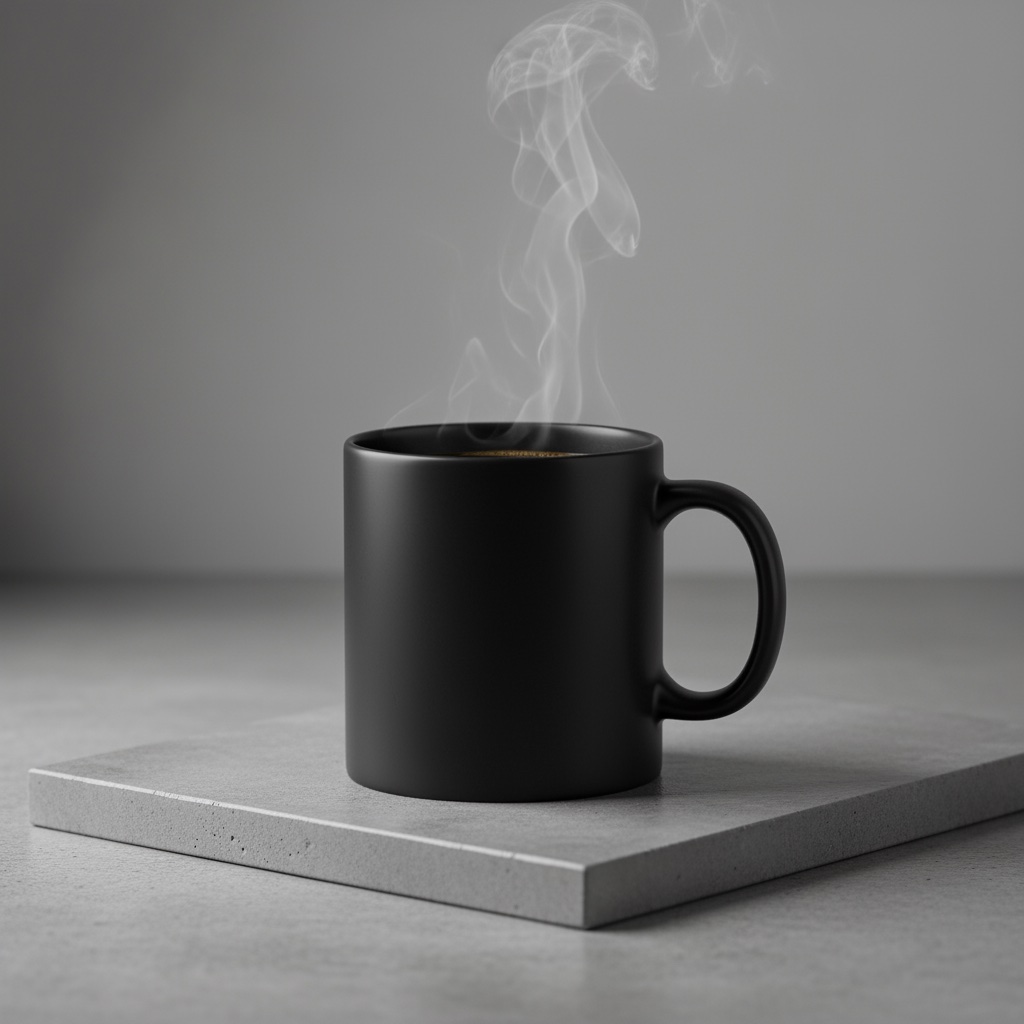
Tests material, studio lighting, camera angle, and a square product composition.
A high-resolution studio product photograph of a minimalist matte-black ceramic coffee mug on polished concrete. Use three-point softbox lighting, soft highlights without harsh shadows, a slightly elevated 45-degree camera angle, sharp steam detail, and a square composition.
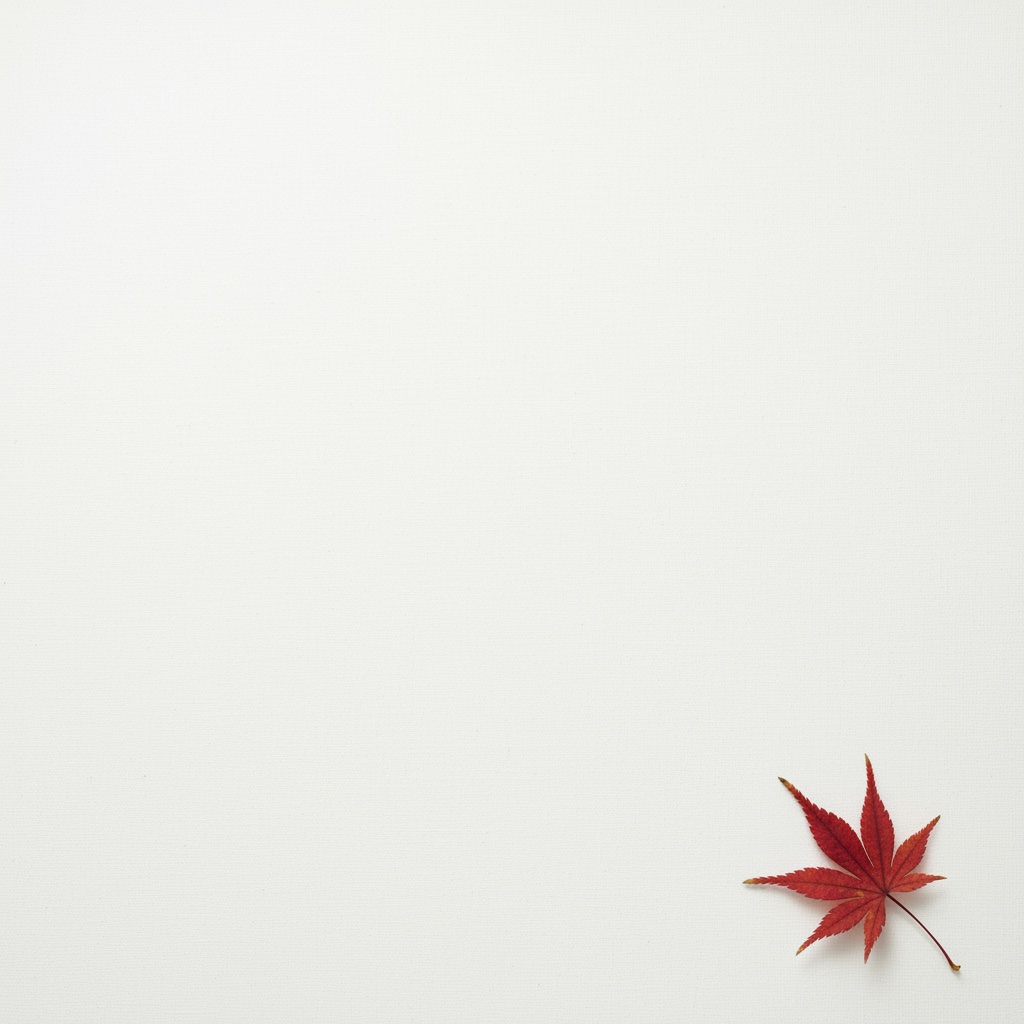
Tests subject placement, negative space, and soft lighting for a text-ready background.
A minimalist composition with one delicate red maple leaf in the bottom-right. Use a vast clean off-white background with generous negative space for text, soft diffused light from the upper-left, and a square composition.
Prompting guide
State required content first, then add photography, design, and exclusion constraints.
Define people, products, animals, or objects, including count and identifying traits.
Name the place, time, weather, materials, and background elements.
Specify framing, placement, negative space, and foreground-to-background relationships.
Describe viewpoint, focal character, depth of field, motion, or isometric projection.
Set light direction, softness, color temperature, and reflections.
Write the precise copy, language, placement, and hierarchy that should appear.
List unwanted copy, marks, people, elements, or composition errors.
Technical controls and limits
Use these specifications to confirm the input, aspect ratio, output tier, and credit cost for an image task.
Review small lettering, multi-person relationships, and fine edges after generation before continuing an edit.
Model comparison
Compare input methods, reference limits, aspect ratios, output controls, image count, and credits. The workflow suggestions are not an image-quality ranking.
Start with reference limits and output controls, then consider the credits used by each generation.
How to use
Follow four steps from choosing an input method to reviewing the generated image.
Start with text-to-image or image-to-image; upload up to four references when needed.
Define the subject, setting, composition, lighting, exact text, and constraints.
Choose from the aspect ratios and 1K / 2K / 4K settings currently exposed.
Each submission uses the displayed 2 credits; inspect text, subject relationships, and edges after generation.
Frequently asked questions
Nano Banana 2 is a common name for Google Gemini 3.1 Flash Image, an image generation and editing model.
You can add up to four reference images and review or remove each one before submission.
Assign each image a clear role such as subject, product, clothing, background, or layout, then explain those relationships in the prompt.
Choose auto, 1:1, 4:3, 3:4, 16:9, or 9:16.
Choose 1K, 2K, or 4K. The final result also depends on the input images, prompt, and composition complexity.
Each generation returns one image so you can refine the same prompt and references step by step.
You can specify exact copy, language, placement, and hierarchy, but spelling, characters, and layout should still be reviewed after generation.
Use the comparison table to review reference-image count, output choices, and credits for your image task.
Upload a previous result as a new reference image and submit another image task.
Each Nano Banana 2 generation uses 2 credits, shown beside the generation action.
Sources
These sources help verify the model identity, image examples, and prompting structure shown on the public page.